 jevieDocs
Download
Your day
Mail, calendar, notes and to-dos
Get through email, meetings and reminders by saying what you want: what needs you first, replies drafted in your voice, your day at a glance.
FreeMacPhoneGoogle account
What it looks likeUse itHow it worksLimitsWhere it's kept
Use it
Your inbox
what's important in my mail
which emails need me
Who is waiting on you, firsttriage my inbox
help me answer my email
Five emails that need you, replies draftedsend 2
send them all
Send from that list; asked once more firstdecline Freeman, tell Nail I recommended two colleagues, send Omar's
Several replies in one sentencelearn how I write
Every draft follows your own style from then onsummarize the email from omar
draft a reply to omar saying thursday works
Drafts, never sent unaskedfind deadlines in my mail
Payments, forms and renewals, soonest first
Keep it clean
show my subscriptions
Senders you never read; unsubscribe in one clickclean up my inbox every week
A rule you agree to, then archived weekly with a recapsort my inbox
Everything marked read except what is important
Your day
- ⌘Space, then ⌘J or ⌘KYour day as the phone's Home has it: Weather, Heads-up, Today, Habits, Coming up, To do, Journal and Notes, with what needs you above them and your agents at work at the bottom. Hidden behind the field until asked for
- the chevron beside + (or ⌘L, ⌘H)Keeps your day shown on every ⌘Space, or hidden again
- point at a headingIts pin takes the section off ⌘Space and off the phone's Home together (a hidden one waits at the foot to be put back); drag its dots, or ⌘⌥↑ ⌘⌥↓, to move it, and the phone's Home moves with it;
put weather last
·habits above to do
say it - on the phone, Arrange Home (at Home's foot)The same order; the eye beside a section hides it here and on the Mac
- pin a row on the MacIt is pinned to the phone's Home too, and an answer pinned on the phone shows on ⌘Space as its card
how's my day
morning
What needs you first, then meetings and free timemy meetings tomorrow
prs waiting for my review
Calendar and GitHub alikecontacts an
find contact anna
The people the letters fit as you type, ↵ for the card with Call, Message and Emailfind 30 minutes with priya
email priya that I'm running late
A card to send (action cards)remind me to call mom tomorrow at 6pm
An Apple reminder that rings on your phone too; the first time, macOS asks to let Jevie use Reminders, and if you say no it is a to-do in your notes, said sowho is omar
Their card: call, message or email in one presswhat did I spend this month
how much did I spend on grubhub
From receipts in Gmail
Notes and to-dos
todo reply to omar tomorrow at 9
journal: had a great run today
Kept as you finish the sentence (to-dos, notes and journal)save this recipe
The page in front as a notecapture with context
Text kept with where it came from
How it works
Mail and calendar come from your own Google account, GitHub from your own sign-in, and reminders and contacts from the Mac's own apps. Nothing is sent, archived or deleted without your yes; replies stay drafts until you send them.
On the phone, Home puts what needs you first with its button: an invitation to answer, a clash, a delivery to track, a bill to pay, a reply already drafted.
The mail suggestions on the phone and the empty palette are run ahead every two hours, read only, so each says what it found before you tap it: who needs you, the next deadlines, what you pay for each month, how many old promotions could leave your inbox. Tapping one still runs it in full. When the Google sign-in has run out, they become one row that signs in again.
Limits
- Gmail and Google Calendar only; other mail services are not read.
- The weekly cleanup and deadlines need Claude Code signed in; they archive, never delete.
- Spending knows only what came as an emailed receipt.
- A model ranks mail from sender, subject and preview, and drafts replies; reservation, delivery and bill emails are read by Cloudflare.
Where it's kept
Notes and to-dos as org files in ~/Documents/Jevie (inbox.org, a list's items among its to-dos; JEVIE_NOTES moves it), deleted ones kept in .deleted.org; reminders, calendars and contacts in the Mac's own apps. How you write in ~/.jevie/self/VOICE.md (jevie/kernel/writing-voice.mjs).
What it looks like
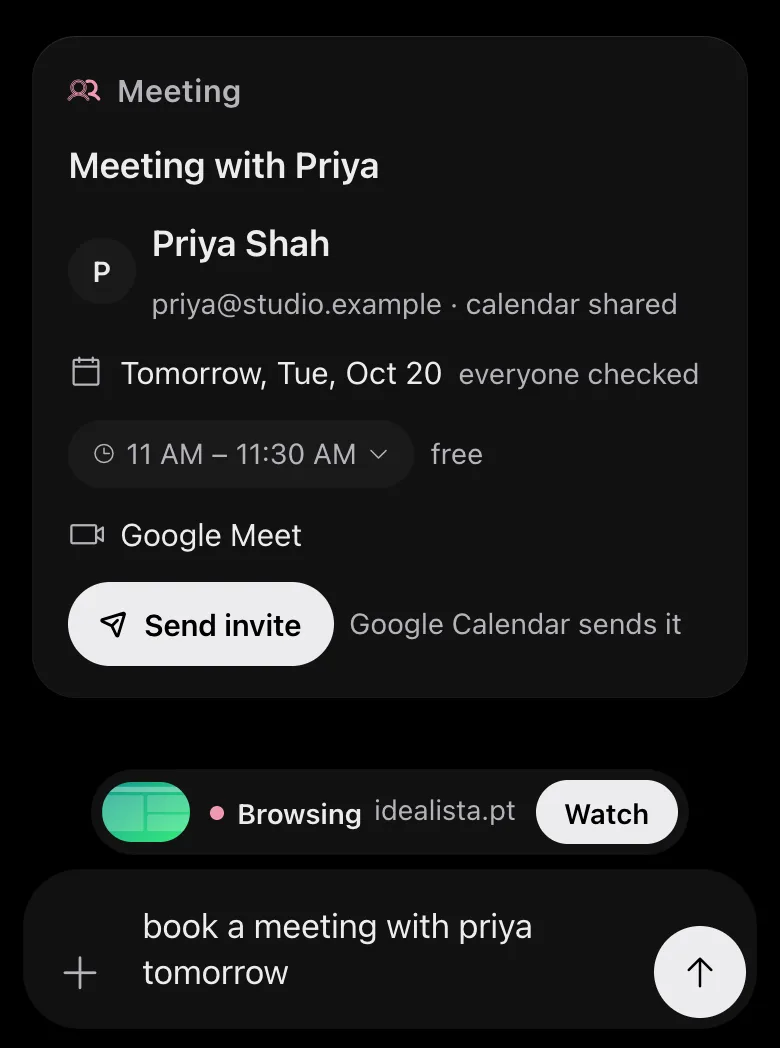
Drawn by Jevie's own renderer with made-up data.
In Jevie, help mail
answers from this page as you type.
Related
Updated 30 October 2026 · Something wrong or missing? Tell us