 jevieDocs
Download
Your day
Bank statements
See where your money goes without linking a bank: drop in your bank's export for balances, net worth, cash flow and spending by category.
FreeMac
Choose an example to copy it, then try it in Jevie.
What it looks likeUse itHow it worksLimitsWhere it's kept
Use it
Bring it in
import ~/Downloads/statement.csv
import ~/Downloads/Checking.qfx as my checking
Read in, duplicates skipped
See it
my account balances
what is my net worth
Each account, and net worth month by monthcash flow
my income
Money in and out by month, and who paid youhow is my spending this month
spending by category last month
Categories against last monthrecurring charges
upcoming bills
What repeats, and when it is next duebank fees
how much interest did I pay
Fees and interest over any periodmy recent transactions
transactions at netflix
Each opening its detail
Sort it
sort my transactions
Merchants Jevie could not file, one press eachcategorize starbucks as coffee
A rule kept, everything filed again
How it works
Download a CSV, OFX or QFX statement from your bank's website and give it to Jevie, or drop the file on it. Any bank's export reads as it is, and importing the same months twice adds nothing.
Merchants are named from the bank's codes (POS PURCHASE STARBUCKS #1234
is Starbucks) and filed into categories you can change. Every figure is added up from your own transactions, and the eye on any view hides the amounts.
Limits
- As up to date as the last statement you imported.
- Investment and brokerage statements are not read.
- Read on this Mac only: nothing is uploaded, no account is linked, no model sees a transaction.
Where it's kept
The ledger in ~/.jevie/ledger/ledger.json (each transaction with the file it came from), your rules in ~/.jevie/self/categories.md ↔ ~/.jevie/categories.json.
What it looks like
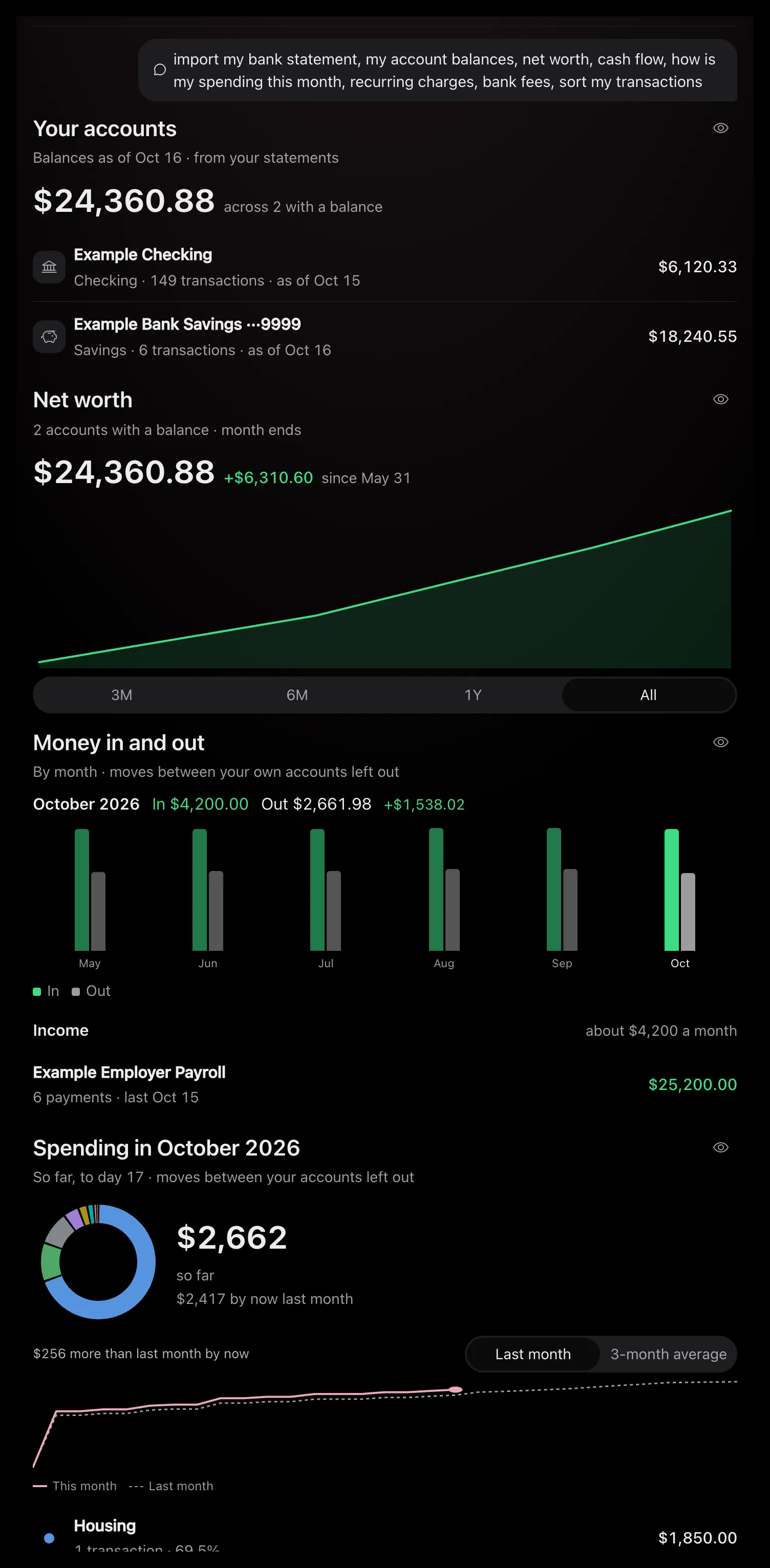
Drawn by Jevie's own renderer with made-up data.
In Jevie, help bank statement
answers from this page as you type.
Related
Updated 23 October 2026 · Something wrong or missing? Tell us