 jevieDocs
Download
Keep it running
Automations
Hand Jevie work that repeats: any sentence run on a schedule, telling you every time or only when something you care about changes.
ProMacPhone
What it looks likeUse itHow it worksLimitsWhere it's kept
Use it
On a schedule
check the build every 20 minutes
Every N minutes, hours or daysopen my dashboards every morning
Daily, orevery day at 8:30
weekdays at 8:30 check my calendar
Working days onlyevery monday at 9 summarize my inbox
One day a week
Only when it matters
check this page every hour and tell me when it changes
Told only on a changeevery hour tell me if the price is below 40
Told when it crossesevery morning tell me anything new on hacker news
Only new itemsgoal: keep downloads tidy
Kept true, worked on only when it is not
Manage them
find that on hacker news as well and add it to the morning routine
Change one in plain wordswhat automations do I have
show my automations
The list, pause or resume from itstop the weather one
resume the weather one
delete the weather one
By what it does
How it works
Say what to do and when, and Jevie runs it on that schedule, remembering what it saw last time so it can tell you only what is new or different. This
means the page in front when you made it, not whatever is open later.
Notices from everything that keeps running share one quiet budget: when many arrive at once they are gathered into a single notice rather than dropped. A run that keeps failing pauses itself and tells you.
Limits
- Schedules are simple: minutes, hours, days, weekdays, a named weekday, mornings; not
first Tuesday of the month
. - Runs happen while the Mac is awake; for runs while it sleeps, see cloud watches.
Where it's kept
~/.jevie/automations.json.
What it looks like
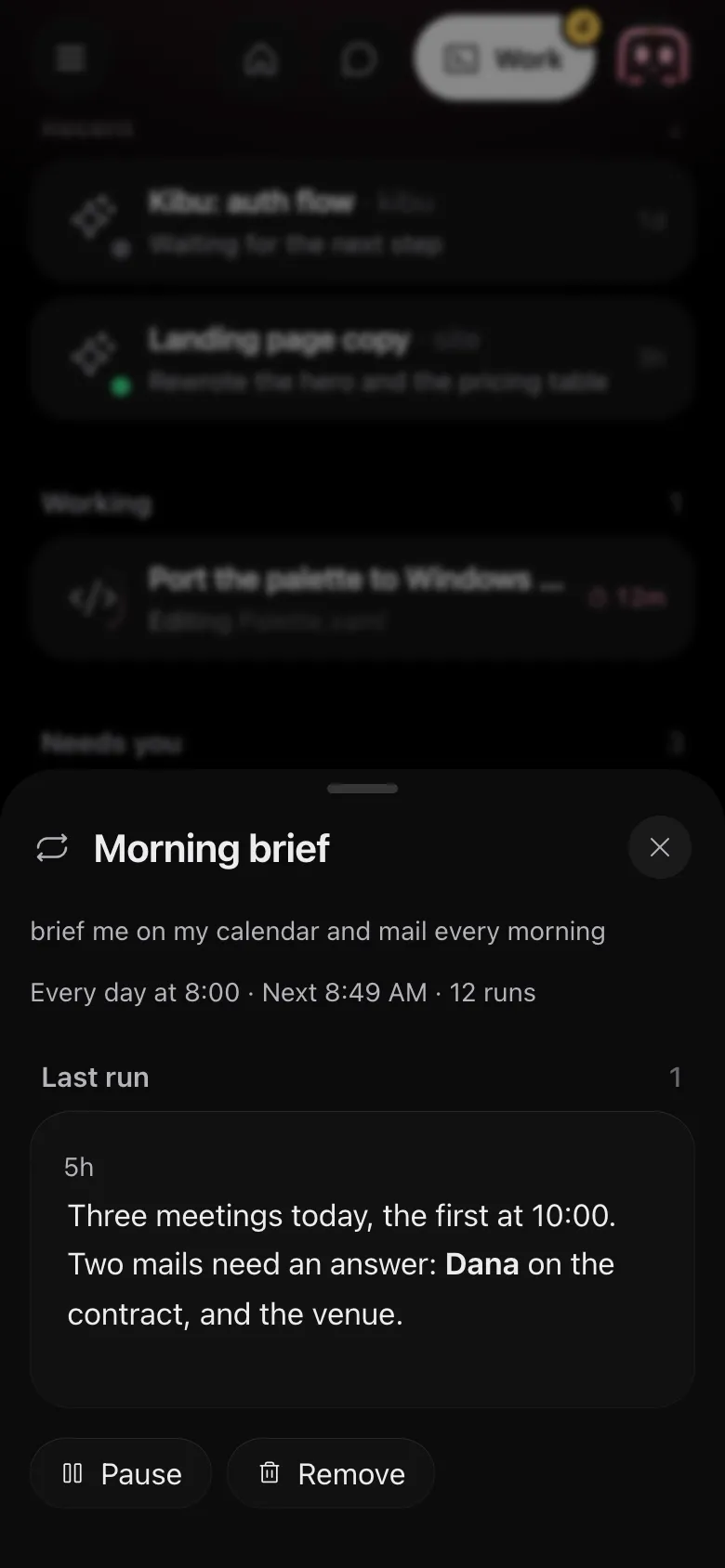
Drawn by Jevie's own renderer with made-up data.
In Jevie, help automation
answers from this page as you type.
Related
Updated 23 October 2026 · Something wrong or missing? Tell us